
AI-powered operating system for modern film production
The whole production, in one place.
SetSnitch is the AI-powered platform for planning, scheduling and running a film production. From script breakdown and scheduling to call sheets and live updates on shoot day, it keeps your whole team working from the same plan, from prep to wrap.


Where you manage the production: script, breakdown, schedule, call sheets, cast, crew, gear and locations.
The AI copilot inside the Nest. It drafts the repetitive work, and you check and decide.

The shoot day, live for the whole crew. The AD runs the day, and the crew follow it live on their own phones, free.
How it works
From the first day of prep to the last wrap.
Every part of your production works from the same information. Make a change once, and it reaches the schedule, the call sheets and everything else it affects.
01 · SCRIPT
Every script version, in one place.
Drop in a PDF or a Final Draft file. Each revision keeps its colour and date, and when a new one comes in, SetSnitch shows scene by scene what changed. The board keeps reading the version you trust until you say yes.
02 · BREAKDOWN
Understand the script in minutes, not days.
The Snitch finds the cast, props, wardrobe, vehicles, stunts and everything else on each page, and files each one with its scene. You review it and make it yours.
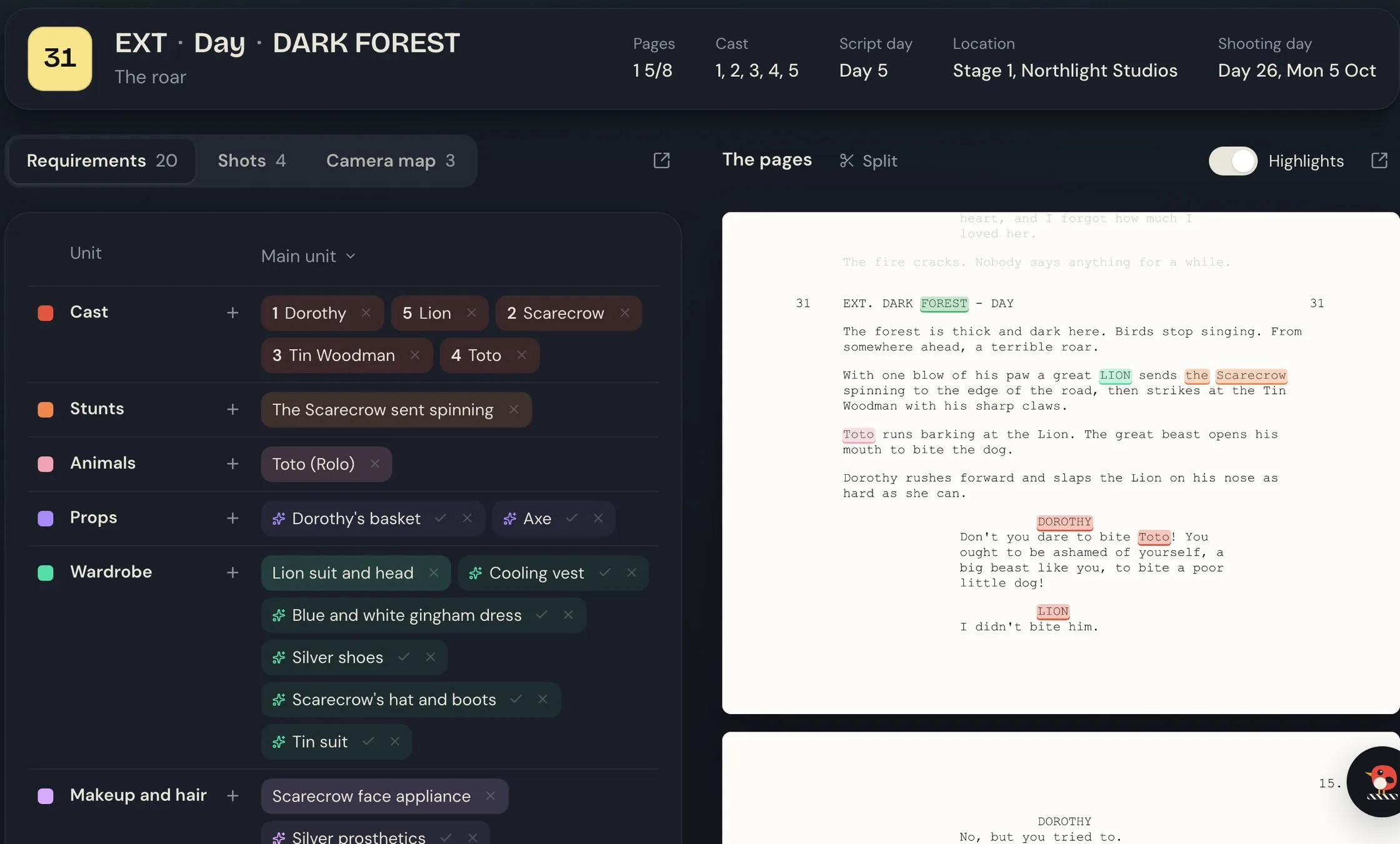
Scene 31: 20 requirements found and filed, ready for review.
03 · SCHEDULE
Brief the Snitch and it drafts the schedule for you.
Tell the Snitch how you want to shoot it. It drafts a shooting schedule around your scenes, locations, cast availability and the working agreement you shoot under. Review it, change it yourself, or tell the Snitch what to move. You stay in control, without building every version by hand.
The basics, then the rules and dates it has to respect, then anything else in your own words.
It keeps to your agreement's hours and rest, and works around the days your cast and locations are free.
New days, day breaks, banners and scenes go straight onto the schedule.
Keep the scenes you haven't placed yet close at hand. Filter them, and save as many side tables as you need.
Tell the Snitch the way you'd tell your second AD.
Move all the Poppy Field scenes to day 32.
04 · CALL SHEET
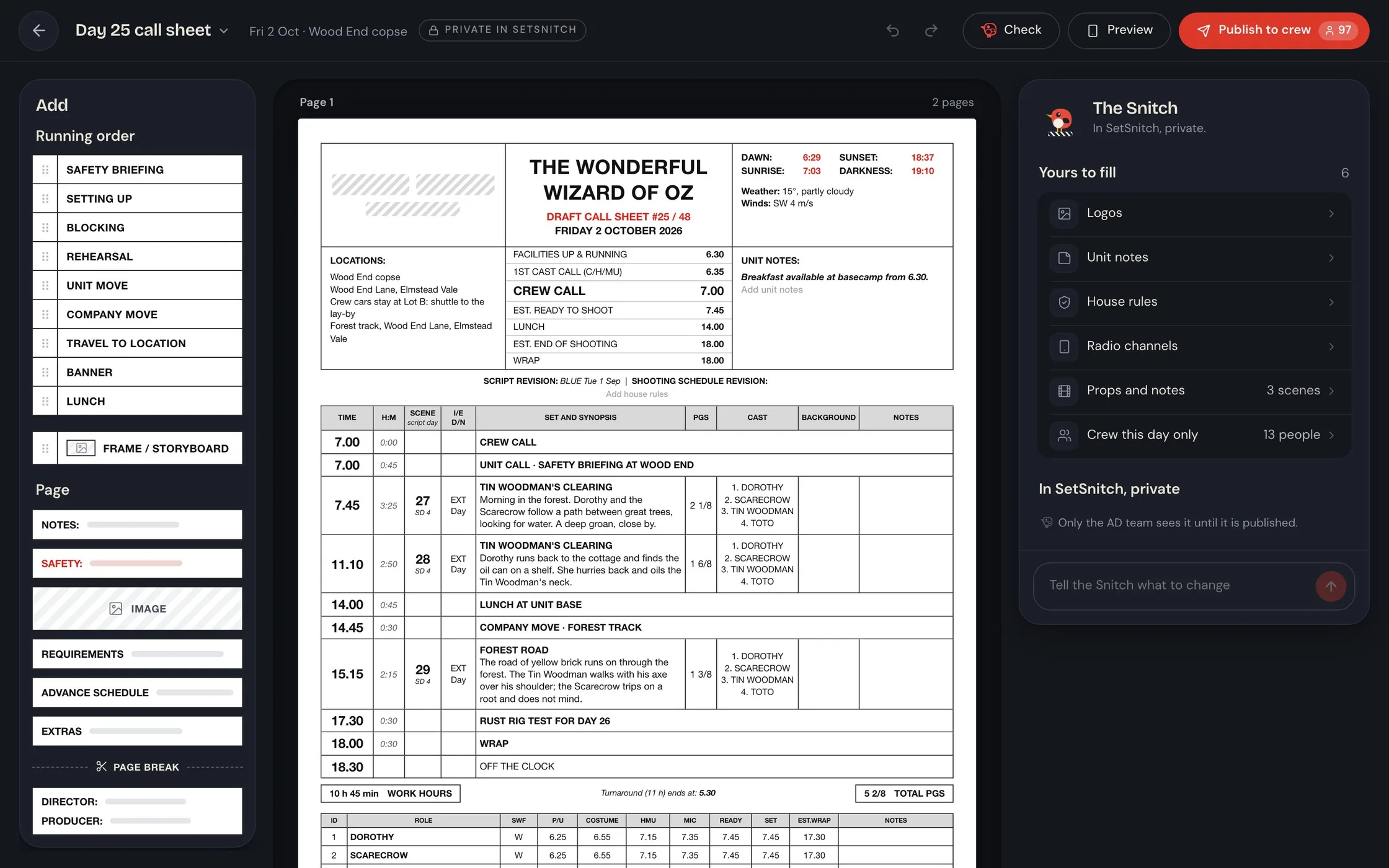
Your call sheet, ready for review.
Every day's call sheet arrives filled in from the schedule, the cast and crew lists, the locations and the day's weather and light. The Snitch lists the few things only you can add. Check it and publish it to the crew, and when the plan changes, the sheet follows.
05 · SHOTS AND CAMERA MAPS
Plan every shot before the shoot.
Each scene has one page for the shot list, the storyboards and the camera map, so the director, DOP and AD prep it together in the Nest.
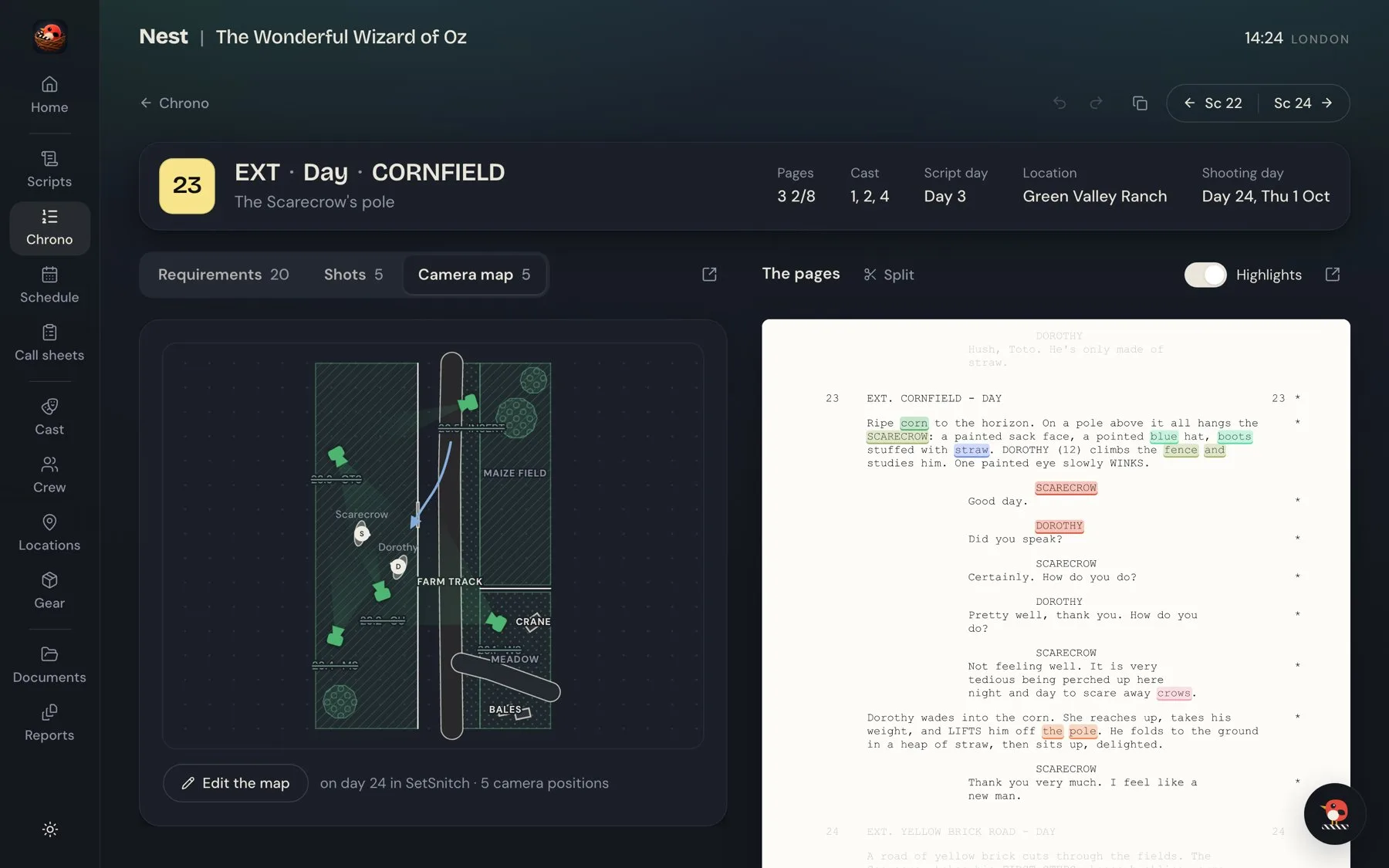
Add the shots, and the Snitch sketches each frame from the script, the lens and the move.
Search for the location and the map draws in its roads and buildings. Or take a few photos where you're standing.
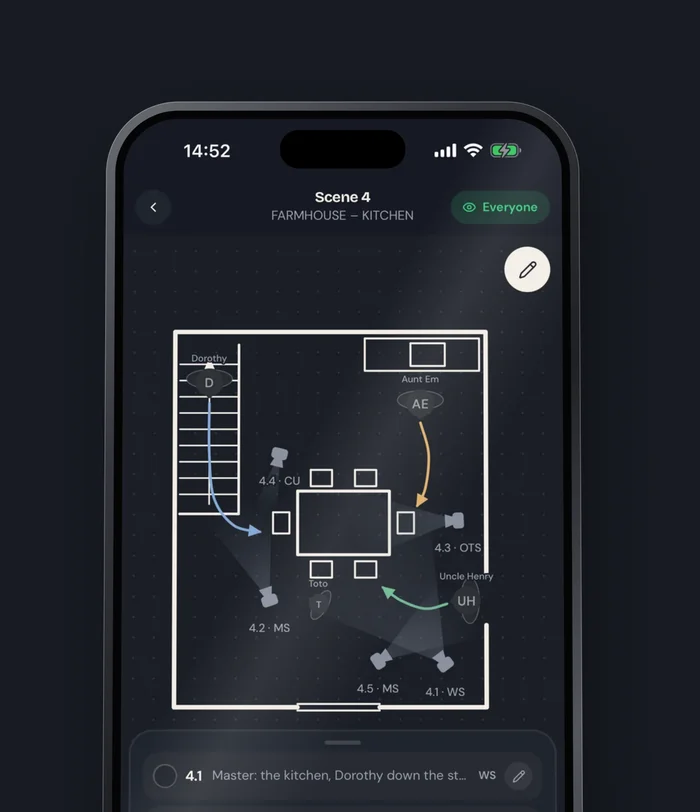
Mark the actors' moves and every camera position, each tied to its shot.
Special equipment a shot needs goes straight onto that day's gear list.
06 · CAST, CREW, GEAR AND LOCATIONS
Everything you need to plan, prepare and run your production.
Cast, crew, gear and locations all work from the same schedule. When a day moves, everyone and everything on it moves too.
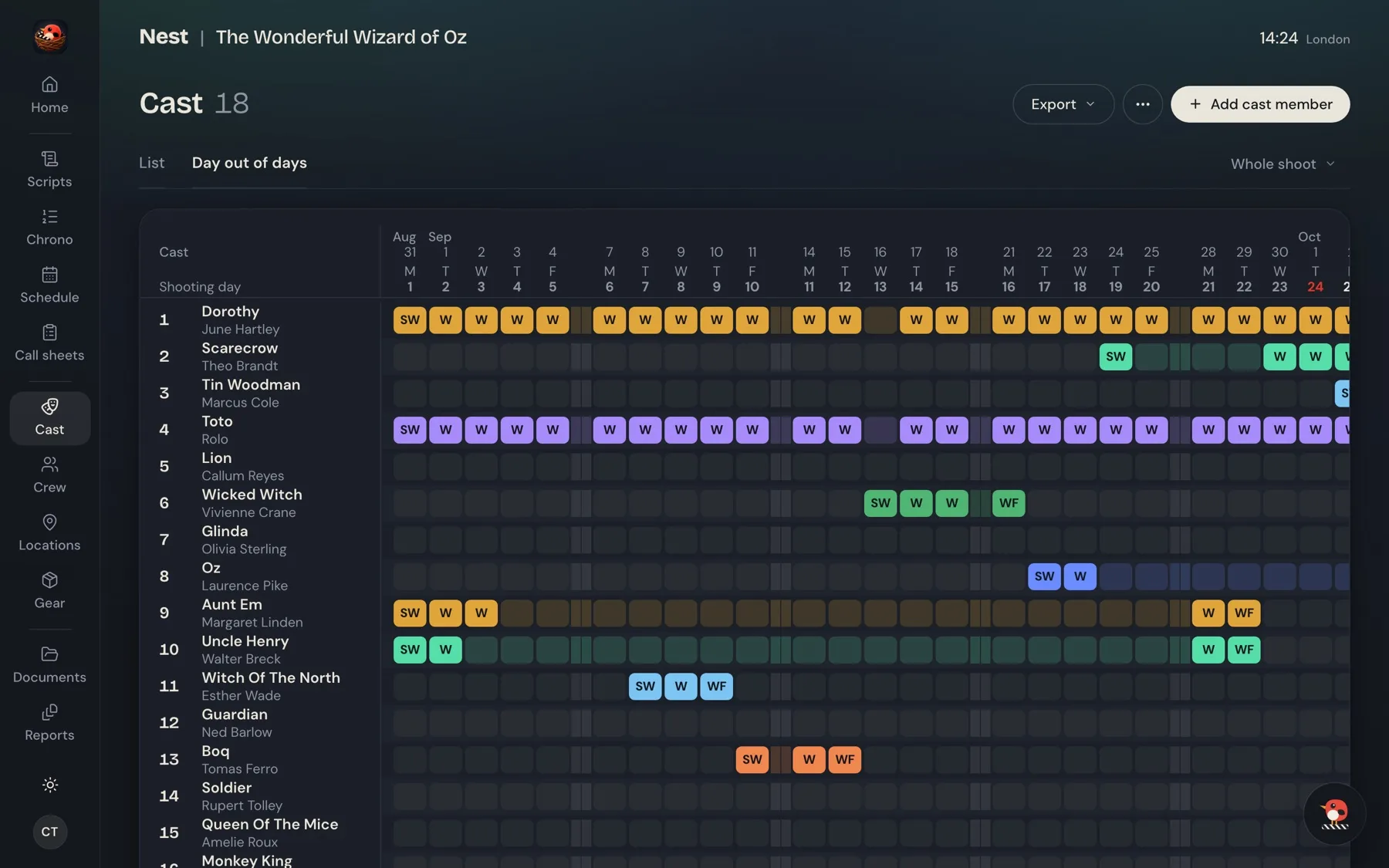
Every actor's working days, with the day out of days made for you.
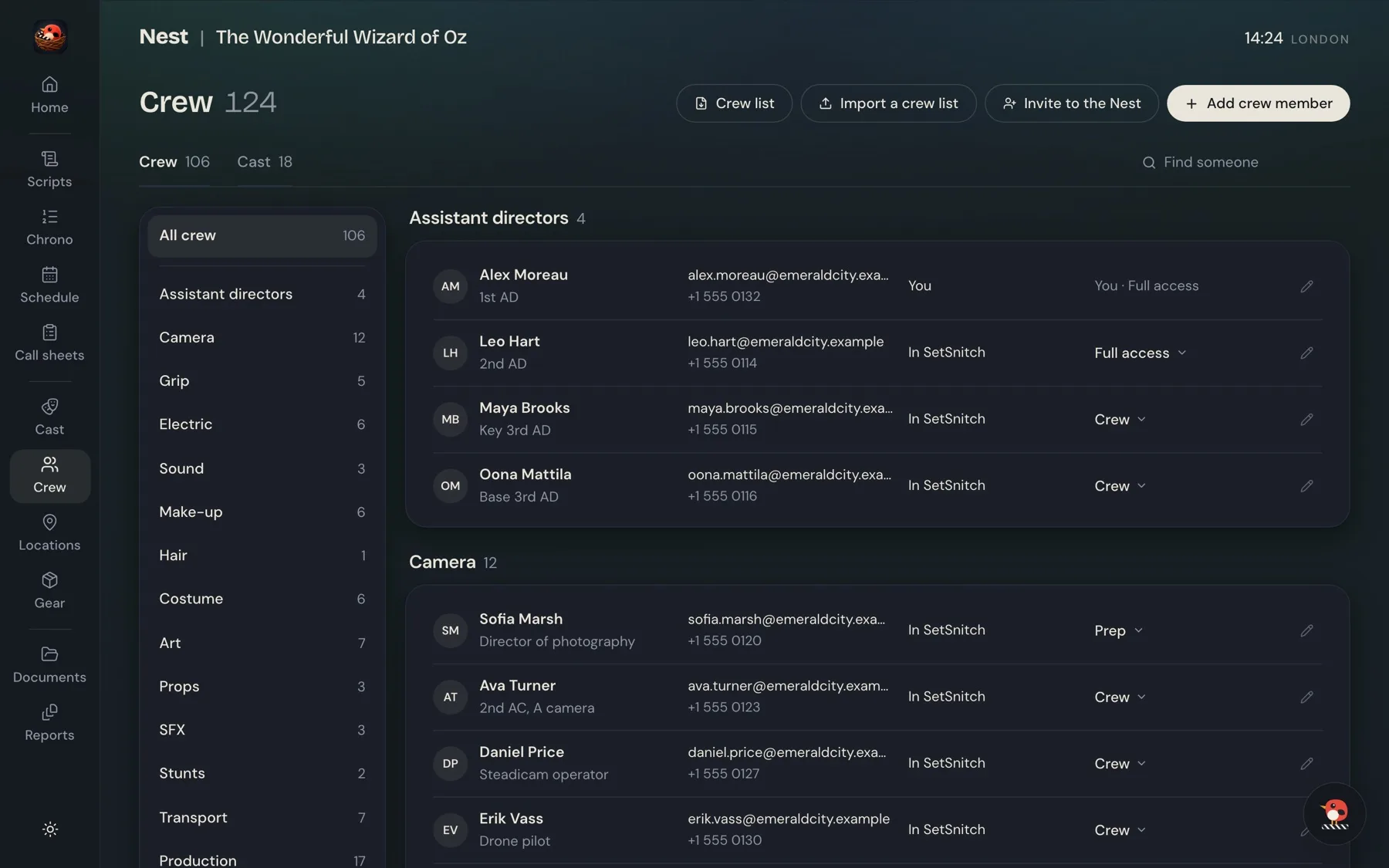
Everyone by department, with their contacts and their calls.
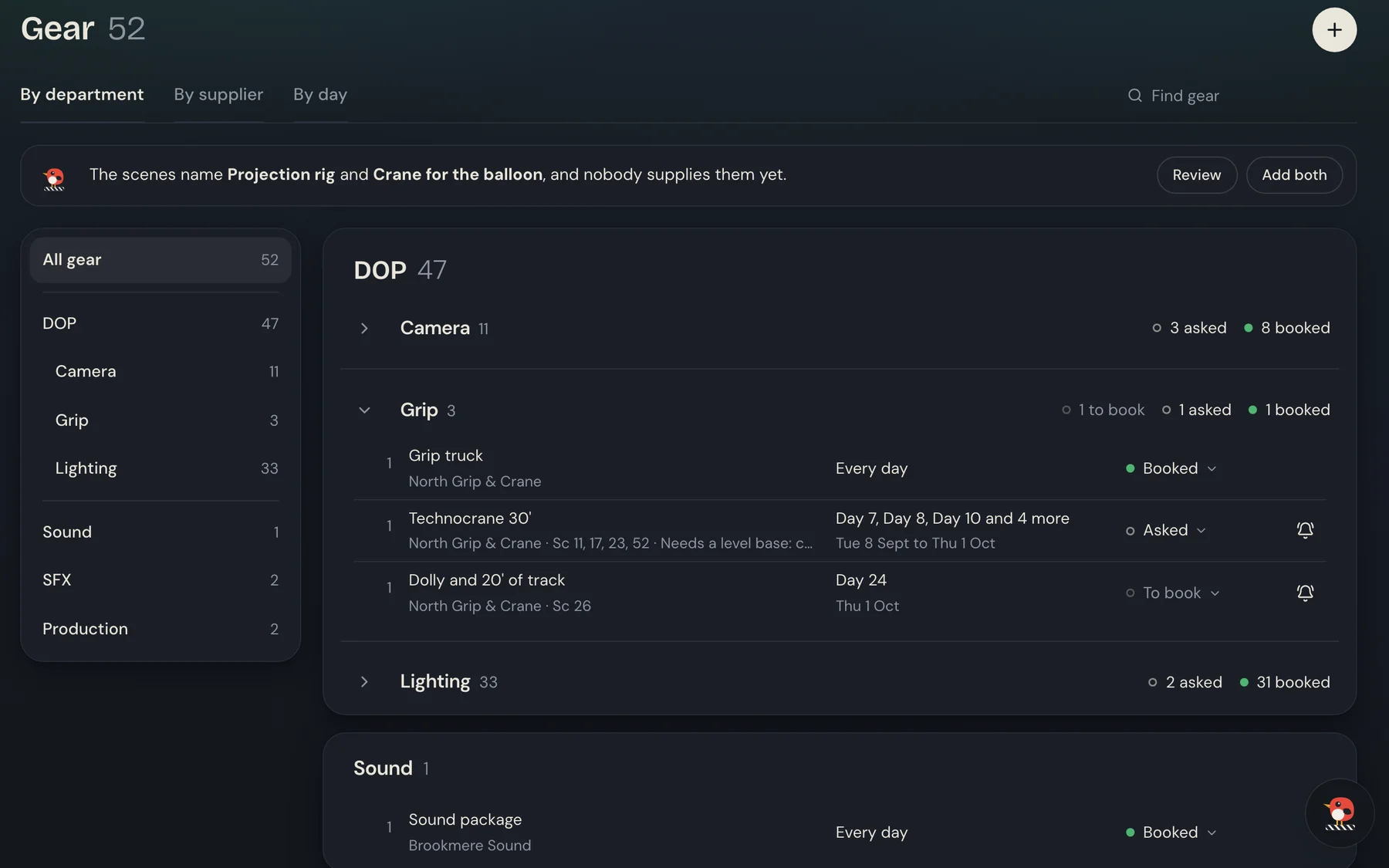
Every piece of gear by department, with who supplies it, the days it works and whether it's booked.
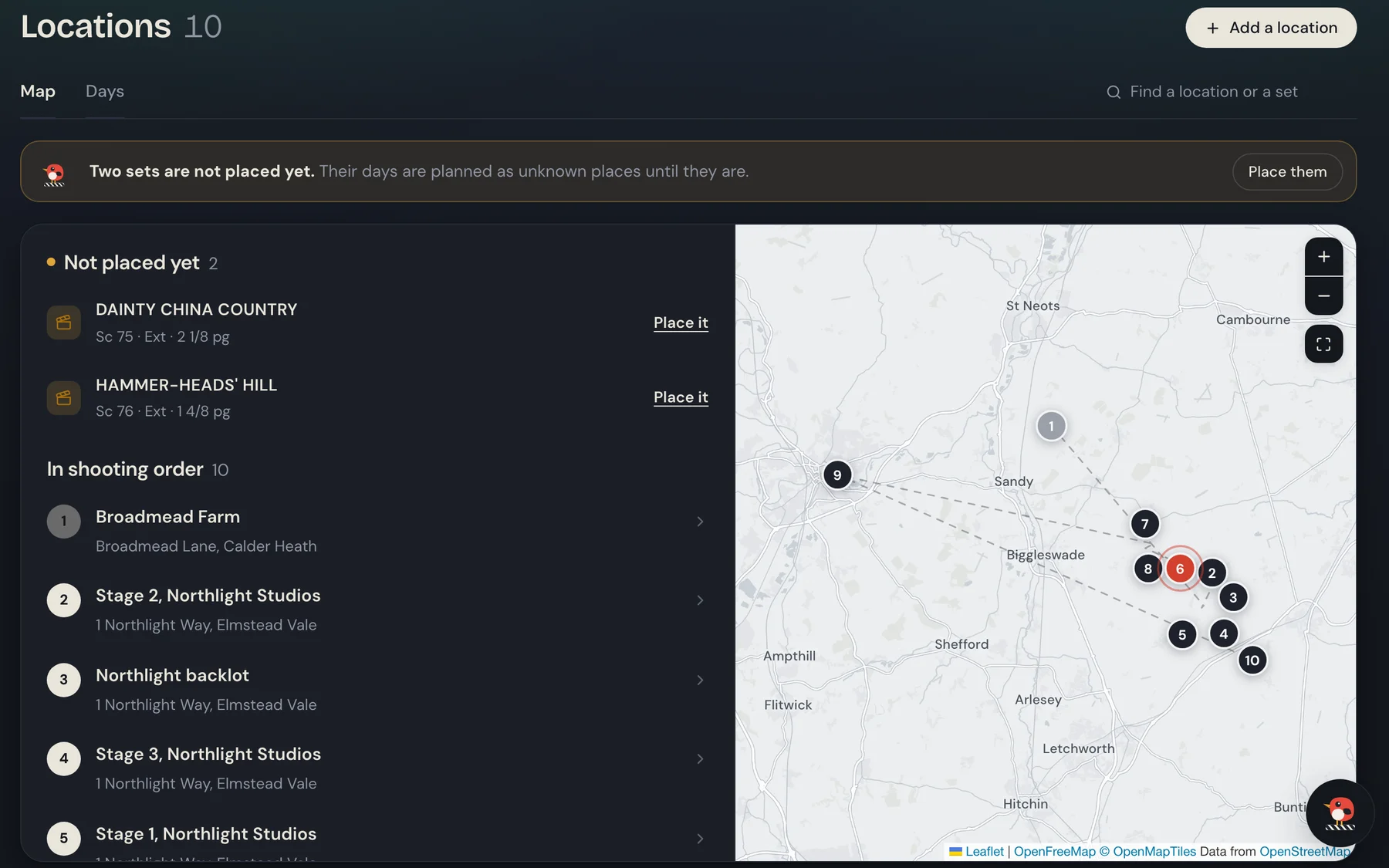
Every place on the map in shooting order, with its address, unit base, crew parking, nearest hospital and the days you shoot there.
07 · SHOOT DAY
Everyone in sync on shoot day.
The AD runs the day from a phone or tablet. The crew follow along on their own phones, free, with live updates as the day changes. From the next scene to a company move, everyone knows what's happening and what comes next.
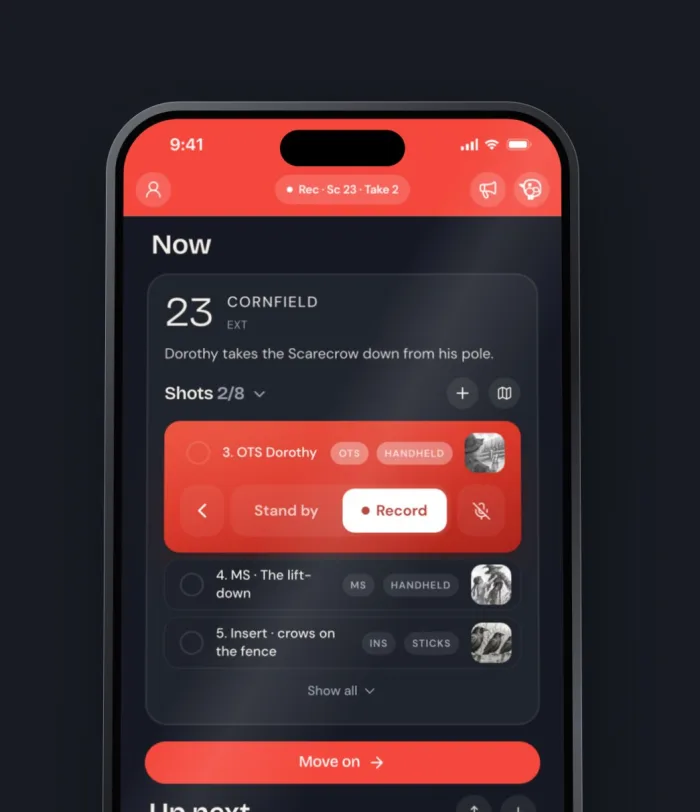
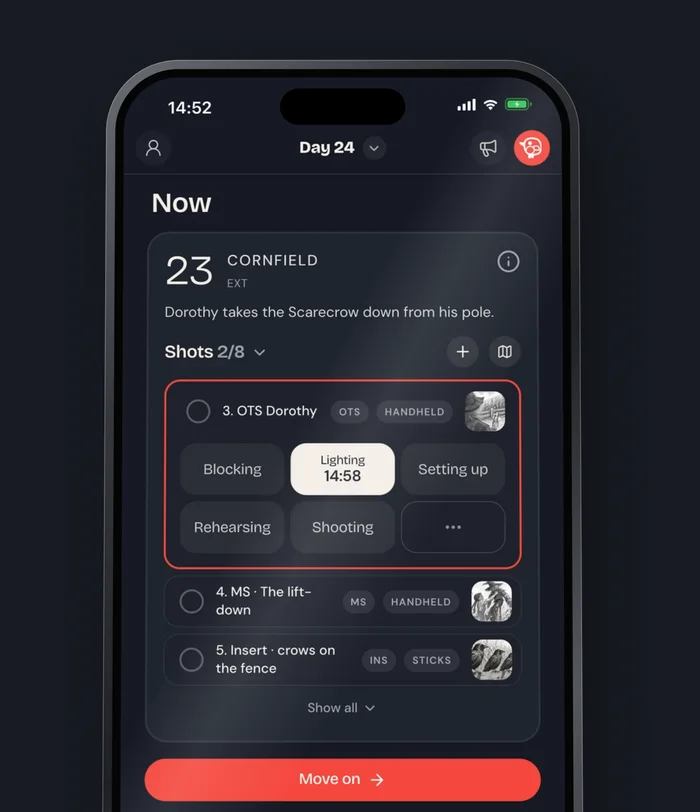
The scene being shot, its phase and how long it has left, on the crew's phones.
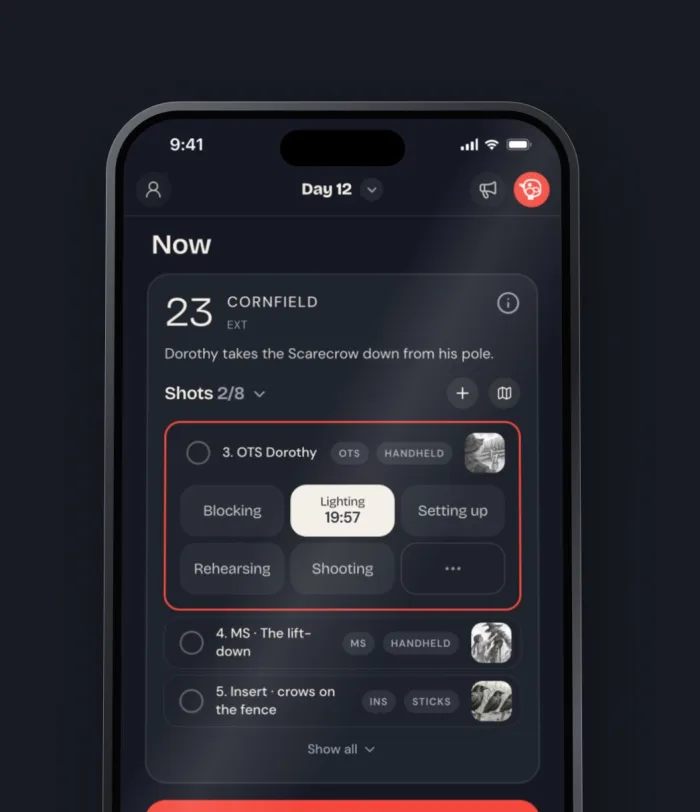
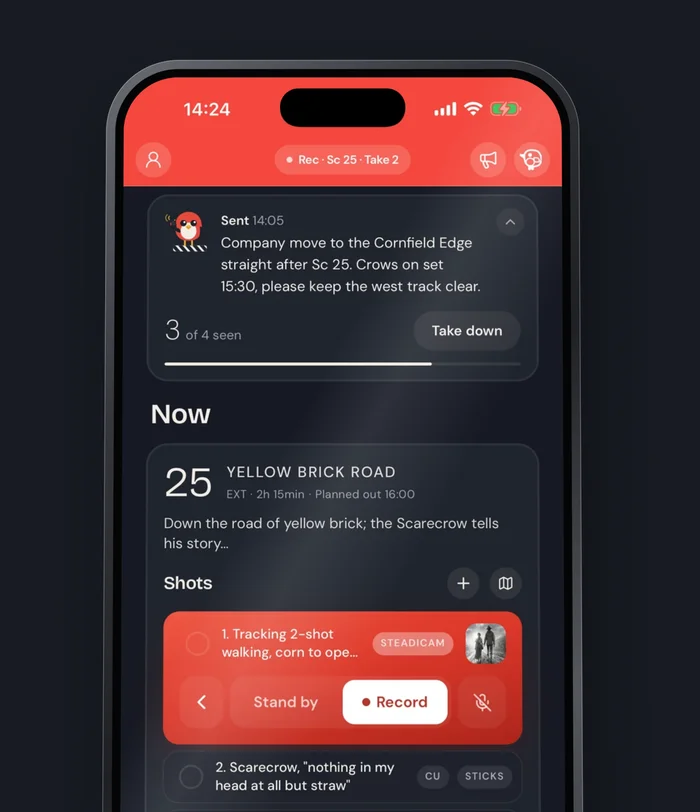
The moment the camera rolls, the whole set knows, even out at the truck.
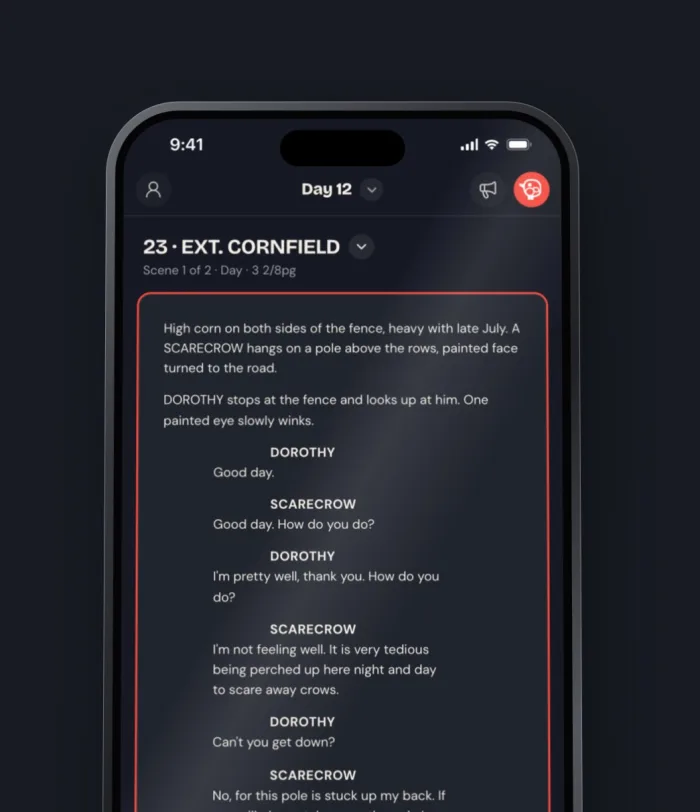
The right pages open with the scene being shot.
Shots tick off as they're done, and the map shows every camera position.
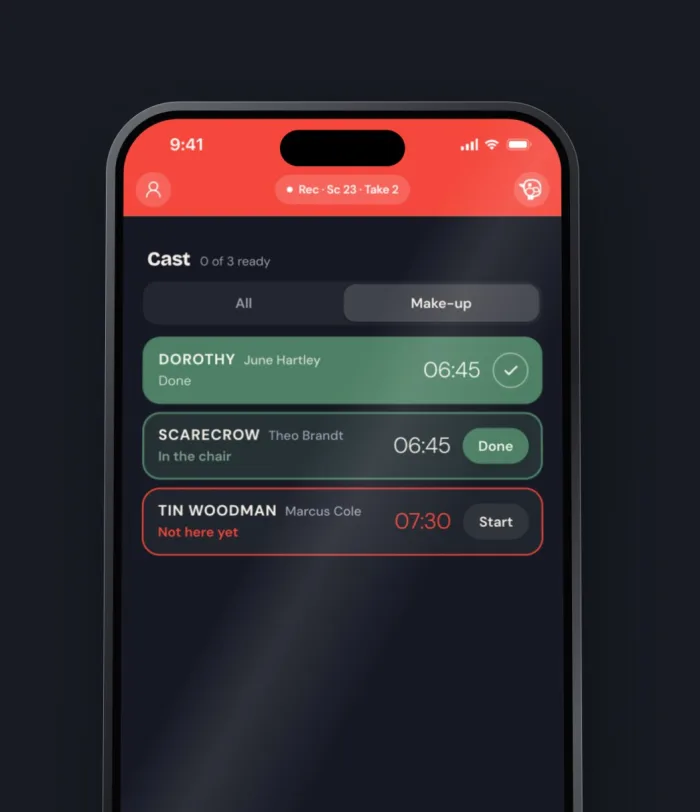
Who's in makeup, who's ready and who's on set, as it happens.
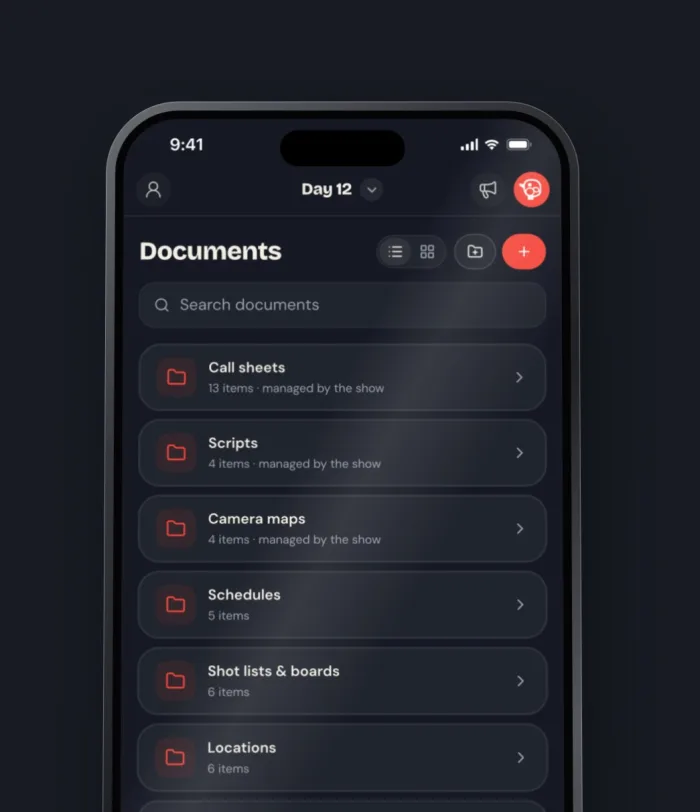
The production's documents on the crew's phones, without leaving the app.
Send a notice to the whole crew in seconds and see who has read it.
Say “Hey Snitch” or press the Action Button, then make the call in your own words.
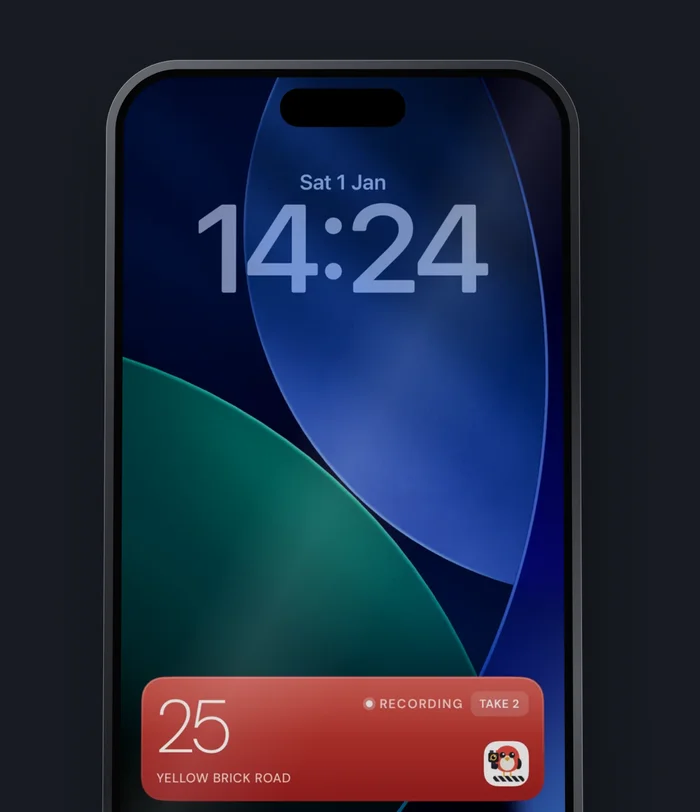
The scene and its phase sit on the Lock Screen and in the Dynamic Island, so a glance is enough.
08 · THE WHOLE PICTURE
Every production, down to a single take.
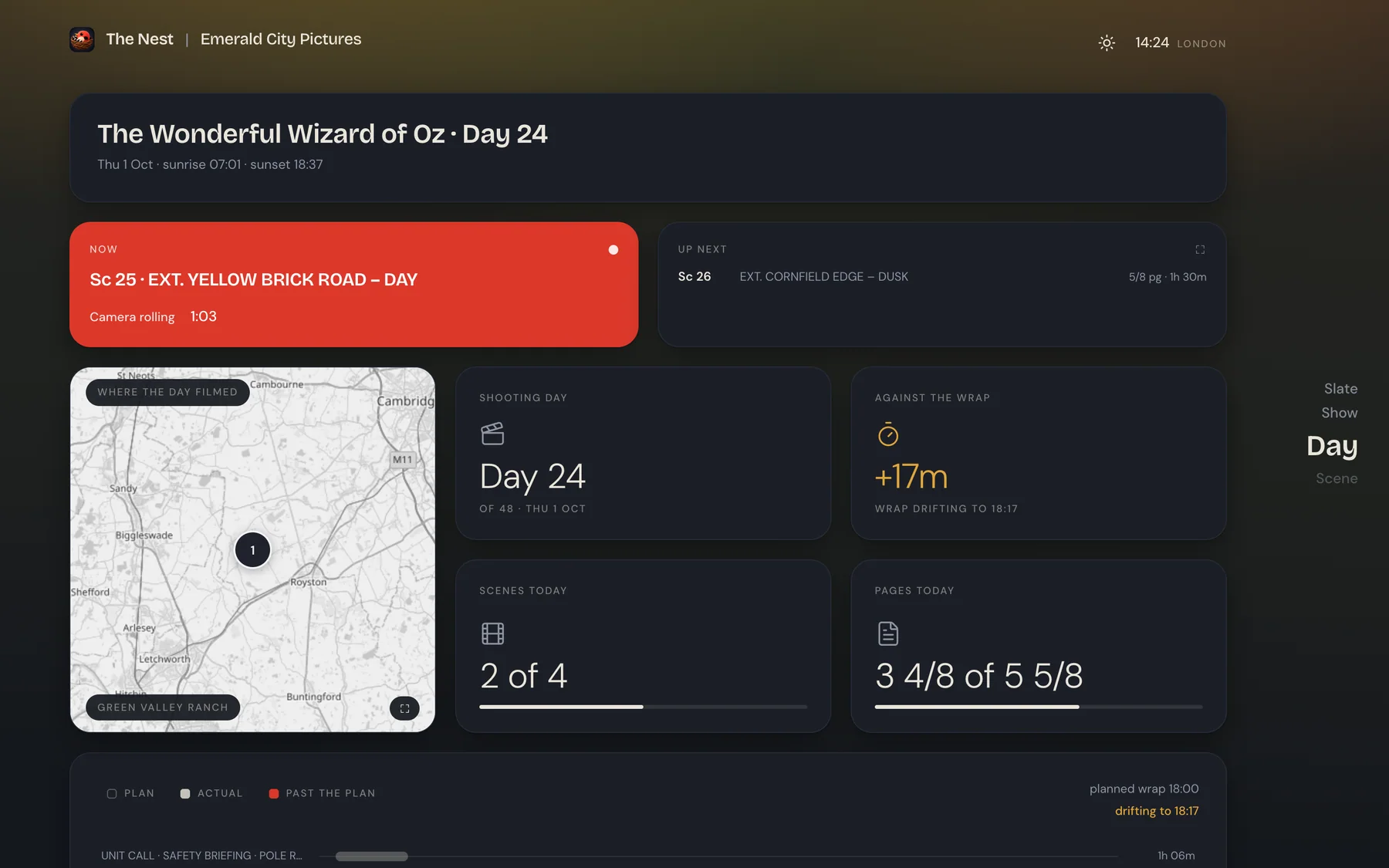
Everything the app records on set lands in the Nest, so the data is all in one place. Look back at any day, follow today as it happens and see what's coming, from the whole slate down to the smallest detail.
The Snitch
An AI copilot that understands your production.
The Snitch works with the scripts, schedules, call sheets, cast, crew and gear in your Nest, and it knows the agreement you shoot under. Ask it questions, draft the paperwork, build shot lists or change the schedule in plain language. It works alongside you, and every change is visible and can be undone.
Opens anything
Show me day 52 on the board.
Adds shots as you describe them
A wide of the Lion bursting out of the trees, 24 mil on a dolly, then a close-up of Dorothy.
Moves the schedule
Put 28 and 30 on a new day, with a day break before 30.
Answers anything
Which scenes need the crane next week?
Makes the paperwork
Make a day out of days for the cast.
Tells the people it affects
Sc 26 moved to Friday. Tell everyone it affects.
Less paperwork. More production.
Less time on paperwork. More time running the production.
The Snitch takes on the repetitive work behind breakdowns, schedules, call sheets and reports, so ADs spend less time on paperwork and more time running the production.
Made for the people who make productions happen.
Draft breakdowns, schedules and call sheets in minutes, and run the day from your phone.
See where every production stands, live, without chasing anyone.
Crew, gear, locations and documents in one place the whole team can reach.
Prep your shots, storyboards and camera maps with your AD, or on your own.
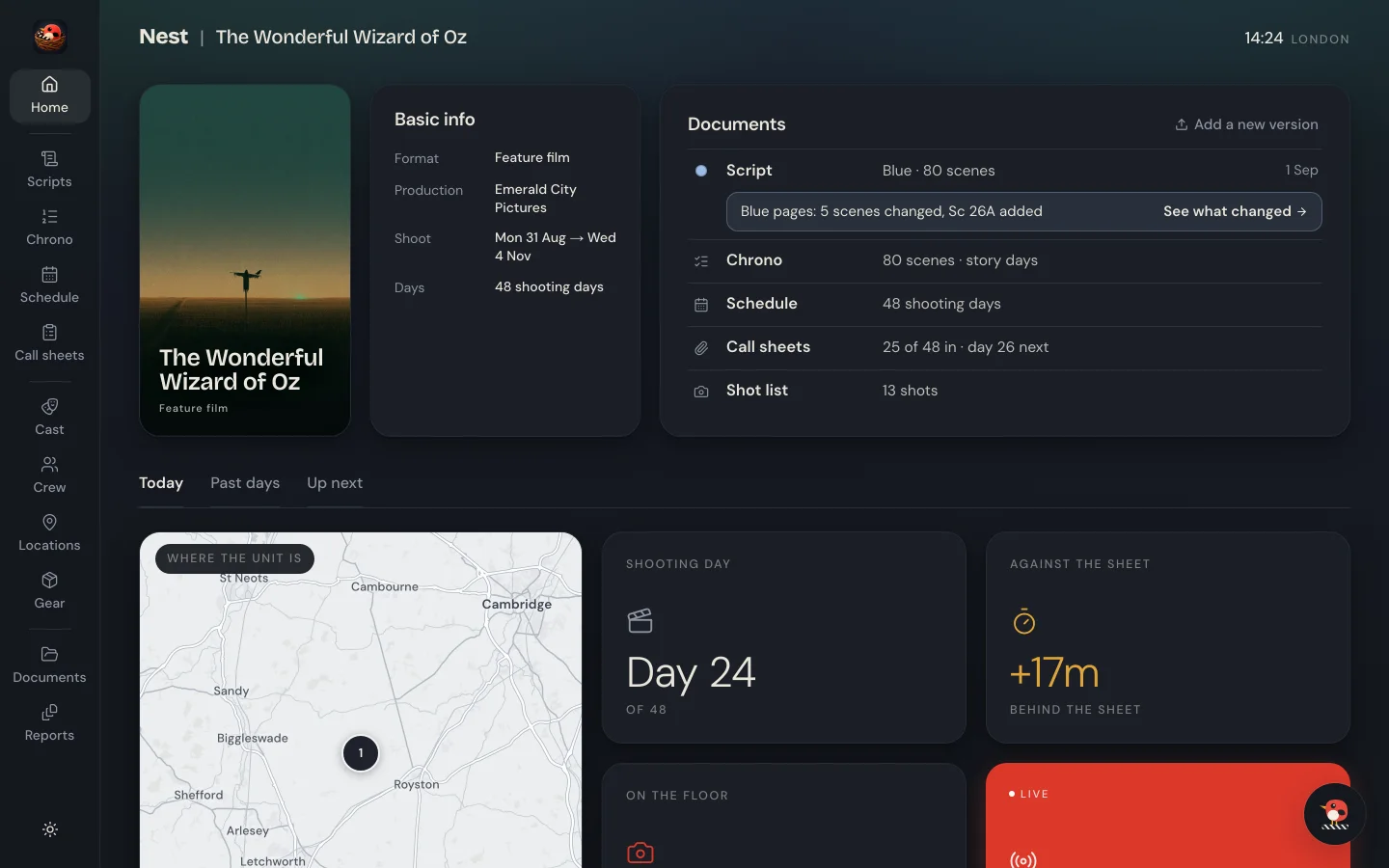
Nest in your browser
The Nest, in your browser.
It runs in Chrome or Edge. Nothing to install.
One plan covers every production you run.
Pick a plan for the Nest, and your crew use the SetSnitch app free.
Launch offer30% off your first year with the code LAUNCH30, until 30 November.
Nest Lite
For directors and DOPs prepping their shots, without the app.
13€ a month
billed yearly at 156€
- AI script breakdown and Chrono
- Shot lists, storyboards and camera maps
- Just you
- 100 AI storyboards a month
- 120 Snitch credits a month
- Hand your prep over to the production
Nest
Most productionsFor running a production in the Nest and on set.
33€ a month
billed yearly at 396€
- The Nest
- 5 full-access seats
- Unlimited prep-seats
- The SetSnitch app for up to 75 crew
- 500 Snitch credits a month
- Every shoot day
Nest Pro
For bigger crews and a bigger production office.
66€ a month
billed yearly at 792€
- The Nest
- 20 full-access seats
- Unlimited prep-seats
- The SetSnitch app for up to 150 crew
- 1 000 Snitch credits a month
- Every shoot day
Filmmaker. The SetSnitch app on its own, for up to 10 crew. 7€ a month, billed yearly at 84€.
Start free trialStudio. For production companies with a bigger slate, priced around the seats, crew and AI you need.
Talk to usFAQ
Fair questions.
Do my crew need to pay?
No. Crew and cast always use the SetSnitch app free. Only the person who runs the production needs a plan.
I'm a director or DOP. Is there a plan just for my prep?
Yes, Nest Lite. Your shot lists, storyboards and camera maps in the Nest, kept in order and ready to export, just for you. It doesn't include the SetSnitch app. When the production comes on SetSnitch, you hand your prep over and the AD runs the shoot with it.
Can I try it first?
Yes. Every plan but Studio is free for seven days. You add a card when you start, nothing is charged during the trial, and you can cancel any time.
Can one plan run several productions?
Yes. One plan covers every production you run. Seats are for you and the people you give Full access in the Nest, such as producers and production managers. Heads of department prep in the Nest without taking a seat, and count toward the plan's crew like everyone else.
Does it work on Windows?
Yes, the Nest does. It runs in your browser on any computer, Windows included.
What does my crew need to install?
The free SetSnitch app on iPhone and iPad. On Android phones, SetSnitch runs in the browser. Crew join from their invite email in one tap, or with a link and the six-digit code from the AD, and they're in with the right role.
Is it in the App Store?
Yes, for iPhone and iPad. On Android phones, SetSnitch runs in the browser. Open the link, and add it to the home screen if you like.
Run your next production in one place.
Give it a Nest. Seven days free, and you can cancel any time.